Choosing the right monthly website maintenance package is essential if you want your website to remain secure, fast, reliable, and functional. Your website represents your business online, influences customer decisions, and supports your marketing efforts. However, maintaining it requires more than occasional updates or fixing problems when they occur.
A suitable maintenance plan helps you prevent technical issues, protect important business information, improve website performance, and provide visitors with a smooth browsing experience. The challenge is finding a package that matches your website’s requirements, business goals, and budget without paying for unnecessary services.
Before selecting a provider, understand what your website needs, which maintenance tasks matter most, and how much ongoing support you should expect.
1. Identify Your Website’s Maintenance Requirements
Start by evaluating your website’s current condition and purpose. A simple business website may require regular software updates, security checks, backups, and minor content changes. However, an eCommerce website may need additional attention to payment gateways, product listings, checkout functionality, customer accounts, and database performance.
Consider the following questions:
- How frequently do you update website content?
- Does your website collect customer information?
- Do you accept online payments or process transactions?
- Are you experiencing slow loading speeds or technical errors?
- Do you need regular design changes or development support?
Your answers will help you identify essential maintenance tasks and avoid choosing a package that offers services you do not need.
2. Compare the Services Included in Each Package
Not all maintenance plans provide the same level of support. Some focus on basic website updates, while others include advanced security, performance optimization, and eCommerce management.
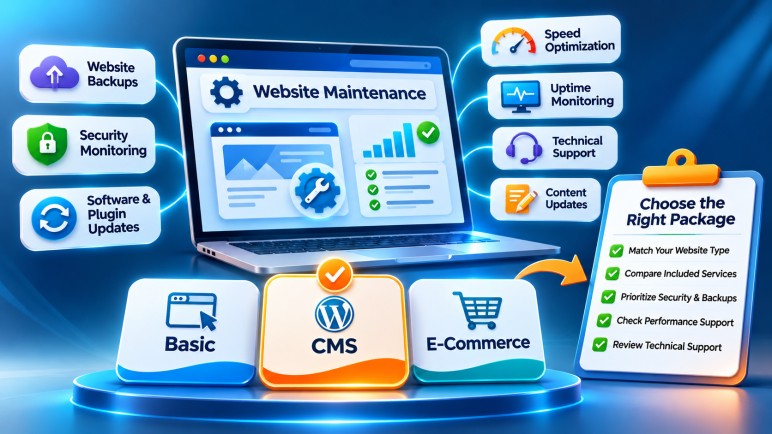
Before making a decision, check whether your package includes:
- Regular website backups and recovery assistance.
- WordPress, plugin, and theme updates.
- Security monitoring and malware removal.
- Website uptime monitoring.
- Broken link detection and error fixing.
- Website speed and performance optimization.
- Content updates and new page additions.
- Database maintenance and troubleshooting.
Compare the available website maintenance packages for different business requirements to understand which features match your needs. Prioritize practical services that protect your website and support its long-term performance.
3. Choose a Package That Fits Your Website Type
Your website’s structure and functionality should influence your maintenance decision. A basic business website does not require the same technical attention as an online store or a content-heavy platform.
For example, if you operate a small business website, basic security monitoring, backups, content updates, and technical troubleshooting may be sufficient.
If you manage a WordPress website, regular core, plugin, and theme updates are important. Similarly, an eCommerce website requires additional support for product management, shopping cart functionality, payment methods, and database optimization.
JDM Web Technologies offers different maintenance plans, including Small, CMS, and E-Commerce options. Comparing these categories can help you identify a suitable starting point for your website.
4. Prioritize Website Security and Regular Backups
Website security should never be an optional feature. Cyberattacks, malware infections, outdated software, and unauthorized access can affect your website’s functionality and compromise customer information.
Choose a monthly plan that includes regular security checks, software updates, SSL support, malware detection, and backup management.
You should also understand how frequently backups are performed and how quickly your provider can restore your website if something goes wrong.
For example, if an update causes a technical issue, a recent backup can help you recover your website without rebuilding important pages or losing valuable information.
A reliable provider should explain its security procedures clearly rather than simply promising complete protection.
5. Evaluate Website Performance Optimization
Your website should load quickly, work smoothly, and provide a consistent experience across desktop and mobile devices. Slow pages, broken navigation, and technical errors can discourage visitors from exploring your services.
Look for a package that includes performance monitoring, image optimization, database improvements, and page speed troubleshooting.
You should also ask whether the provider checks website functionality after completing updates. This helps identify problems before they affect your visitors.
A good maintenance plan should support your website’s technical health while helping you deliver a better user experience.
6. Check the Quality of Ongoing Technical Support
Technical support becomes especially important when your website experiences unexpected problems. A maintenance provider should be able to identify issues, explain possible solutions, and resolve problems within a reasonable timeframe.
Before selecting a plan, ask about:
- Available support channels.
- Response and resolution times.
- Emergency troubleshooting availability.
- Monthly maintenance task limits.
- Additional charges for work outside the package.
Review the provider’s professional website maintenance services to understand the range of technical assistance available.
Also, confirm whether you will receive a dedicated point of contact or communicate with different support representatives whenever you need assistance.
7. Compare Monthly Pricing With Actual Value
Your maintenance budget should reflect the complexity of your website and the level of support required. However, selecting the cheapest option does not always deliver the best long-term value.
Compare packages based on their included features, technical expertise, support availability, and service limitations.
For instance, paying slightly more for regular backups, security monitoring, and performance optimization may help you avoid expensive emergency repairs later.
Ask providers to explain their pricing structure and identify any additional charges for website migrations, extensive development work, or urgent fixes.
Choose a plan that balances affordability with the services your business genuinely needs.
8. Look for Experience and Transparent Service Delivery
Your maintenance provider should understand the technology behind your website. Experience with platforms such as WordPress, Shopify, WooCommerce, Magento, and custom development frameworks can make a difference when handling technical challenges.
Check the company’s portfolio, customer reviews, technical capabilities, and service descriptions before making a commitment.
For example, JDM Web Technologies provides digital marketing, website development, and website maintenance solutions for businesses across different industries.
Look for a provider that communicates clearly, explains completed tasks, and provides recommendations based on your website’s actual requirements. Transparency helps you understand what you are paying for and whether your website is receiving the attention it needs.
9. Request a Clear Maintenance Plan Before Signing Up
Before choosing a monthly package, request a detailed breakdown of the services you will receive. A professional provider should explain the maintenance schedule, included tasks, reporting process, and additional service costs.
You should also establish expectations regarding website ownership, administrator access, backup availability, and cancellation terms.
Ask whether the provider supplies monthly reports covering completed updates, security checks, uptime, performance issues, and recommended improvements.
This information allows you to evaluate the effectiveness of your maintenance investment and identify areas that require additional attention.
Conclusion: Choose a Maintenance Package That Supports Long-Term Growth
The right monthly website maintenance package should protect your website, improve its performance, and provide dependable technical assistance as your business grows. Instead of choosing a plan based only on price, evaluate its features, security measures, support quality, and suitability for your website platform.
A well-maintained website helps you build customer confidence, reduce technical disruptions, and maintain a reliable online presence.
If you want professional assistance selecting the right maintenance solution, contact JDM Web Technologies for website maintenance package recommendations. Discuss your website requirements, budget, and long-term goals to find a maintenance plan that delivers practical value.
Frequently Asked Questions (FAQs)
1. What should a monthly website maintenance package include?
A monthly package should ideally include website backups, security monitoring, software updates, uptime monitoring, bug fixes, performance checks, and content updates. Your requirements may vary depending on your website’s platform and complexity.
2. How do you choose the right website maintenance package?
Evaluate your website’s size, platform, functionality, security requirements, and monthly support needs. Compare package features, pricing, technical expertise, and response times before making your decision.
3. Is a monthly website maintenance package necessary for small businesses?
Yes. Small businesses also need regular updates, security checks, backups, and performance monitoring. A suitable package helps prevent technical problems and keeps your website reliable for potential customers.
4. How much should you spend on website maintenance?
Your monthly maintenance budget depends on your website’s complexity, required services, and support expectations. Compare the actual services included rather than selecting a package based entirely on its price.
5. Can you change your website maintenance package later?
Many providers allow you to upgrade or modify your package as your requirements change. Confirm the provider’s upgrade terms, pricing adjustments, and service conditions before subscribing.